Checkbook - Account Tracker
- 3.6
- Rating
- 100.00K
- Installs
- Free
- Price

 Analysis by App-foxy
I approached Checkbook - Account Tracker as a practical finance app rather than a full banking replacement. Its purpose is straightforward: it gives me a digital place to record money coming in and going out, much like a traditional checkbook register without the paper. That narrow focus is also its main appeal. If I want a simple running record of transactions, I can open it and enter the details without working through investment tools, card rewards, loan offers, or a crowded banking dashboard.
After using it, my impression is that this is best for people who prefer to see their spending manually and deliberately. It asks me to take part in the process, which can be useful when I am trying to understand where my balance is going. At the same time, that hands-on approach means it will not suit someone expecting automatic bank synchronization or a modern budgeting system that does most of the work in the background.
How the register feels to read and navigate
The basic register idea is easy to understand. I can think in familiar terms: a transaction, an amount, and an updated balance. That makes the app less intimidating than finance products filled with graphs and specialist language. For someone moving from a paper checkbook, the concept should feel natural because the digital version follows the same general habit of recording each financial movement as it happens.
You May Also Like

 Blood Strike: 2.5 Anniversary
Blood Strike’s Loadouts Turn Every Drop Into a Tactical Gamble
A close look at Blood Strike’s custom loadouts: how fast access to signature weapons reshapes its battle royale rhythm, rewards preparation, and narrows the gap between fights.

 Pandora - Music & Podcasts
Pandora’s Music Is Easy to Start, but Harder to Recover
Pandora’s strength is its low-effort path from a seed to a station. Its weak spot is how much confidence it asks you to place in connection, setup, and quiet recovery.

 8 Ball Pool
 Is Built on Rivalries, Rematches, and Routine
A close look at the rivalries, rematches, shared routines, and unanswered safety questions that turn a quick pool match into a persistent mobile community.

 Samsung Music
’s Quiet Strength Is Playing What You Already Own
Its reach comes less from spectacle than from dependable access to a personal library. That simplicity is both the app’s strongest retention engine and its ceiling.

 AccuWeather: Weather Radar
AccuWeather Review: A Quick, Clear Forecast for Everyday Decisions
For everyday plans, the best forecast is the one you can understand quickly. AccuWeather makes rain timing, radar, and local conditions easy to act on, with a few trade-offs.

 Hill Climb Racing
Why Hill Climb Racing Still Turns Crashes Into One More Run
A tiny car, a bumpy hill and one more upgrade: Hill Climb Racing keeps resurfacing because its simple chaos makes every near-miss feel personal.
More From Our News Desk



In everyday use, the most important accessibility question is whether I can quickly tell where I am in the record. A transaction list can become difficult to scan when many entries accumulate, especially if several payments have similar amounts. I found that the app’s value depends heavily on keeping entries consistent. Using recognizable descriptions, entering transactions soon after they happen, and checking the running balance regularly make the register much easier to follow than leaving a week of vague notes to reconstruct later.
The strongest readability benefit is the app’s limited scope. It does not make me search through unrelated finance sections before recording a purchase. That simplicity can help people who become overwhelmed by dense dashboards or excessive choices. It also makes the app suitable for a quick check while I am deciding whether an upcoming payment is affordable.
Still, a simple register is not automatically easy for every reader. Long transaction histories require attention, and manual records can become confusing if I use inconsistent wording. I would recommend creating a small personal convention before relying on it: use the same description for recurring bills, record pending expenses in a recognizable way, and review the balance after entering each item. Those habits are more important here than they would be in an automatically categorized budgeting app.
The developer, TinyWork Apps, has kept the product centered on the checkbook metaphor. That is helpful for users who already understand registers, but it may require a short adjustment for someone who has only managed money through a bank’s mobile app. The app is not difficult because the idea is complicated; the challenge is learning to trust a record that I maintain myself.
Navigation that rewards a steady routine
I would not choose this app for occasional financial archaeology, where I open it once a month and try to rebuild every purchase from memory. It works better as a small daily or weekly routine. A person with limited attention or a busy schedule may find that approach demanding, but the same routine can also be calming because it turns an unclear balance into a visible sequence of entries.
One useful workflow is to record a transaction immediately after paying, then use the register before making a discretionary purchase. This turns the app into a decision aid rather than merely an archive. For example, if I am considering an unplanned meal out, checking the recorded balance first gives me a clearer answer than relying on a rough memory of recent card use.
Another practical use is separating the act of spending from the act of reconciling. I can enter a payment when it happens, then later compare the running record with my bank statement. That two-step process takes longer than automatic synchronization, but it can reveal forgotten subscriptions, duplicate entries, or payments that have not cleared yet. The trade-off is clear: more control and awareness, less convenience.
Different abilities, environments, and everyday access
I look at everyday access as more than whether a screen seems simple: the real test is whether the register fits the way someone can comfortably enter and review transactions. In this section, I consider how different abilities and surroundings can change that experience, then turn to the routines and situations where a manual record is most useful.
Motor considerations and the effort of manual entry
Manual finance apps place much of the work on tapping, typing, and correcting entries. For users with limited dexterity, tremors, hand pain, or difficulty performing precise gestures, repeated transaction entry may become tiring. I would be cautious about calling this a low-effort tool simply because the interface is focused. The number of actions needed over time matters, especially for someone recording many small purchases.
A helpful approach is to reduce unnecessary editing. I would prepare transaction descriptions that are short but distinctive, avoid trying to capture every detail in one note, and pause to verify the amount before saving. Entering the wrong figure and repeatedly navigating back to fix it can be more frustrating than taking an extra moment at the start.
The app can be a reasonable fit for someone who makes relatively few transactions and prefers deliberate control. It is less attractive for a household with many daily purchases, shared expenses, or frequent transfers. In those situations, an app with bank connection, receipt capture, or automatic categorization may reduce physical effort, even if it offers less direct awareness of each entry.
There is also a cognitive side to motor accessibility. When I am rushed, tired, or distracted, a simple amount-entry task can still produce mistakes. I would avoid entering transactions while walking, commuting, or handling another task. A quiet moment at home is safer, particularly when the amount affects a bill or a tight weekly budget.
Sensory clarity and the conditions around use
People use finance tools in different visual and sensory environments: bright outdoor light, a dim bedroom, a noisy bus, or a quiet office. A register is most useful when its information can be read without guesswork. I found that short labels and orderly records help, but users who need very large text, strong contrast, screen-reader-friendly controls, or other specific accommodations should test the current version on their own device before making it their only financial record.
I would also avoid assuming that a clean-looking screen solves every visual need. A person with low vision may need more than a simple layout, while someone who has difficulty with dense information may appreciate seeing only the core transaction details. The right experience depends on the device settings, the user’s preferences, and how the app presents controls in the version installed.
For users with hearing-related needs, the app’s central task is naturally visual rather than dependent on spoken instructions or audio prompts. That can make it more practical in places where sound is unavailable. The opposite situation is worth considering too: anyone who relies primarily on voice interaction may find manual financial entry less comfortable than tools designed around stronger voice support.
Situational access: when the app helps and when it does not
One realistic scenario is a person managing a household account who wants to prevent an overdraft. After a paycheck arrives, they enter the income, then add rent, utilities, transport costs, and regular purchases as they occur. Before making a larger optional purchase, they check the register rather than trusting the bank balance alone. This works especially well when pending payments and planned expenses need to be remembered together.
A second scenario is someone using a shared paper-free system with a partner. The app can serve as a central record if both people agree on who enters transactions and how descriptions are written. Without that agreement, the register can become unreliable quickly. The limitation is not just technical; it is a coordination problem. A shared cloud budget may be better when several people need simultaneous access or automatic updates.
The app is also useful for people who want a low-distraction way to learn money habits. A teenager or first-time budgeter can see how individual purchases affect the available balance without being pushed toward financial products. Its Everyone content rating makes it broadly approachable from an age-classification perspective, although responsible adult guidance is still sensible when a young person begins managing real money.
Travel is a more complicated case. A manually maintained register can help when I need to track cash spending or payments across a trip, but it becomes risky if I forget entries or need reliable currency conversion. I would not depend on it alone for unfamiliar currencies, complex shared travel costs, or urgent account decisions. A bank app and a separate note-taking method may provide better backup in those circumstances.
What it offers compared with ordinary alternatives
Compared with a paper checkbook, this app is easier to carry and less vulnerable to a lost notebook. It also lets me check the record without keeping a pen nearby. The paper alternative, however, has one advantage that should not be dismissed: it works without a battery, screen, or device interaction. Someone who enjoys handwriting or needs a permanent offline ledger may still prefer paper.
Compared with a bank’s own mobile application, the register gives me a more intentional record but usually requires more discipline. A bank app can show actual account activity and may handle authentication or transaction updates more conveniently. Checkbook - Account Tracker is better understood as a personal tracking layer, not a substitute for checking the bank when accuracy and cleared status matter.
Compared with a full budgeting app, its benefit is restraint. I am not asked to build a detailed category system before recording a payment. That can be ideal for a user who wants balance awareness without financial project management. The cost is that people seeking automatic categories, account aggregation, shared planning, reports, or broader household budgeting may outgrow it.
Remaining barriers and practical cautions
The largest barrier is manual accuracy. If I forget to enter a transaction, the balance becomes misleading. If I enter it twice, the result is equally problematic. I would therefore treat the app as a personal register that needs occasional comparison with official account records. That habit is particularly important around recurring bills, refunds, transfers, and payments that take time to clear.
Another consideration is the app’s age and maintenance context. It was released in the middle of the last decade, and the current version is 2.1.2. That does not make it unusable, but it encourages me to check how comfortably it behaves on my particular phone before moving all my financial tracking into it. Compatibility matters more for users who depend on enlarged display settings, alternative input methods, or older devices.
The app is free to start, which lowers the barrier for trying it. There are also in-app purchases ranging from under a dollar to around twenty dollars per item, so I would review any purchase screen carefully and decide whether the basic workflow meets my needs before paying for extras. A free entry point is useful, but it should not be confused with a guarantee that every desired capability is included at no cost.
Its average rating is 3.6 from around 9,000 ratings, with over 4,000 written reviews and more than 100,000 installs. Those figures suggest a real user base, but they do not remove the need to judge the app against my own habits. A person who enjoys manual tracking may find it dependable enough, while someone expecting automation may be disappointed even if the register itself works as intended.
I would skip it if I need automatic bank feeds, sophisticated accessibility controls that must be verified in advance, multi-user synchronization, investment monitoring, or detailed financial reporting. I would also skip it if I know I will not record transactions consistently. In that case, the best-designed register cannot solve the underlying problem, and an automated alternative would probably be more useful.
My inclusive verdict
Checkbook - Account Tracker is a focused finance app for people who want to maintain a digital checkbook register and stay close to each transaction. I like its modest ambition: it does not try to become a bank, a financial adviser, and a complete budgeting suite at once. That makes it easier to understand and potentially less distracting for users who need a clear running record.
Its inclusive value comes from that directness, but directness has limits. Users with motor difficulties may find repeated entry demanding, users with specific visual or input requirements should test the interface on their device, and anyone working in a rushed or unreliable environment may struggle to keep the record accurate. Those are important practical concerns, not minor details.
My recommendation is strongest for an individual who wants a simple, free starting point, makes a manageable number of transactions, and is willing to review the record regularly. I would use it alongside my bank’s official account view, especially for confirming cleared payments. For people who want automation or shared, highly detailed planning, another finance tool will be a better fit. For everyone else, this app can turn an old-fashioned checkbook habit into a portable routine without burying the basic task under unnecessary complexity.
FAQs for Checkbook - Account Tracker
01What is Checkbook - Account Tracker used for?
Checkbook - Account Tracker is designed to help you record and organize personal financial activity from your Android or iOS device. You can enter income, expenses, deposits, withdrawals, transfers, and other transactions to keep a running view of your account balance. It is especially useful for people who want a straightforward alternative to managing everyday spending with paper notes or spreadsheets.
02Can I use Checkbook - Account Tracker for multiple accounts?
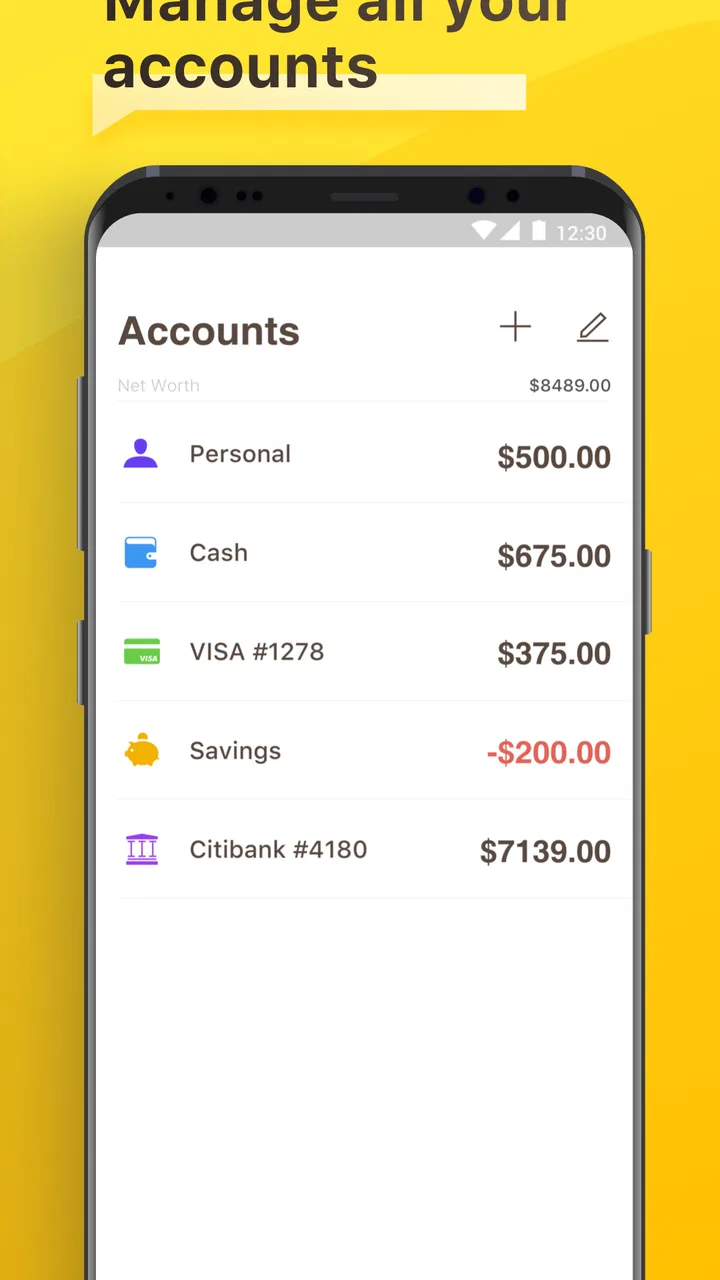
The app is intended to support personal bookkeeping across more than one financial account, such as checking, savings, cash, or credit-related accounts, depending on the features available in the installed version. Before downloading, review the current store description to confirm account limits and supported account types. Keeping accounts separate can make it easier to understand where money is available and how it is being spent.
03Does Checkbook - Account Tracker connect directly to my bank?
Checkbook - Account Tracker is primarily focused on manually tracking transactions rather than replacing a bank’s official mobile application. You should not assume that balances and purchases will synchronize automatically unless the current version specifically lists bank connectivity. Manual entry gives you more control over your records, but it also means you must update transactions regularly and compare them with your bank statements.
04Is Checkbook - Account Tracker suitable for budgeting and recurring payments?
The app can be useful for basic budgeting because recording transactions lets you monitor spending and see how your balance changes over time. It may also include tools for recurring or scheduled transactions, depending on the platform and version. Users should check the latest feature list before relying on it for bills, subscriptions, or payment reminders, and should continue using official billing services for actual payments.
05Is my financial information safe when using Checkbook - Account Tracker?
Because the app may contain sensitive information about balances, purchases, and personal finances, you should review its privacy policy, permissions, backup options, and security features before entering detailed data. Avoid storing bank passwords, card PINs, or full authentication credentials in a bookkeeping app. Enable device security, use any available app lock or passcode protection, and keep backups handled through trusted services.
Pros
- Simple interface makes daily income and expense tracking quick.
- Supports multiple accounts for better organization of personal finances.
- Recurring transactions reduce the effort of entering regular payments.
- Clear balance history helps monitor spending habits over time.
- Useful reminders can help prevent missed bills and scheduled payments.
Cons
- Some advanced features may require a paid upgrade.
- Manual entry can become time-consuming for frequent transactions.
- Limited bank synchronization may not suit users wanting automation.
- Customization options for reports and categories may feel basic.
- No budgeting features may be available for users seeking detailed planning.

Checkbook - Account Tracker
Gallery